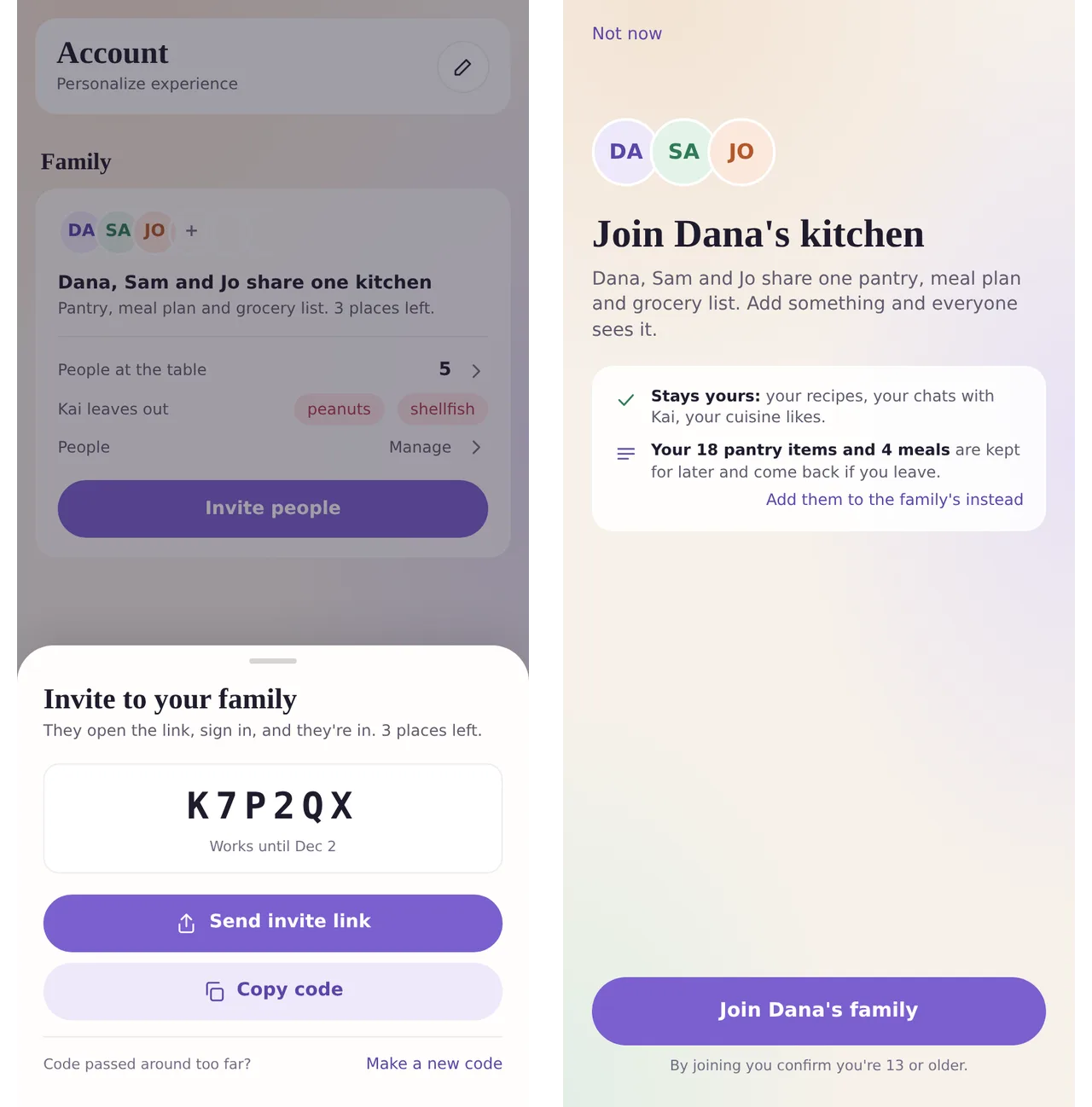
KitchenKai started as one person's cooking assistant. Most kitchens feed more than one person, though, and the grocery list is usually somebody else's job by Thursday. KitchenKai 7.1 makes the kitchen shared.
Same pantry, same plan, same list
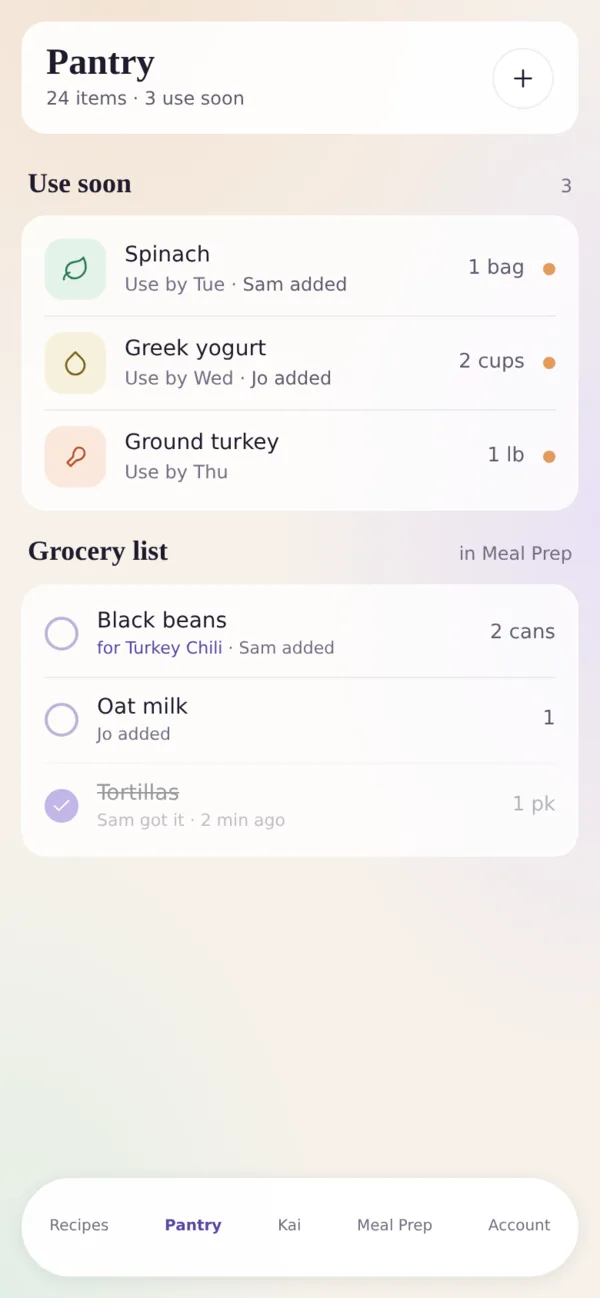
On the Family plan, the owner invites up to five people with a link. Everyone sees the same pantry, meal plan and grocery list, and a change on one phone shows up on the others without a refresh. Each item carries a small "added by" tag, so you know who to ask about the third jar of capers.
BEFORE
- One person's pantry
- The list gets texted around
- Two people buy tortillas
AFTER
- One shared pantry
- One live list
- "Sam got it"
Shopping together
Tick an item off at the store and the rest of the family sees "Sam got it" right away. Split up in the store, or shop on the way home while someone else checks the fridge, and nobody buys the same thing twice.
Your recipes stay yours until you share them
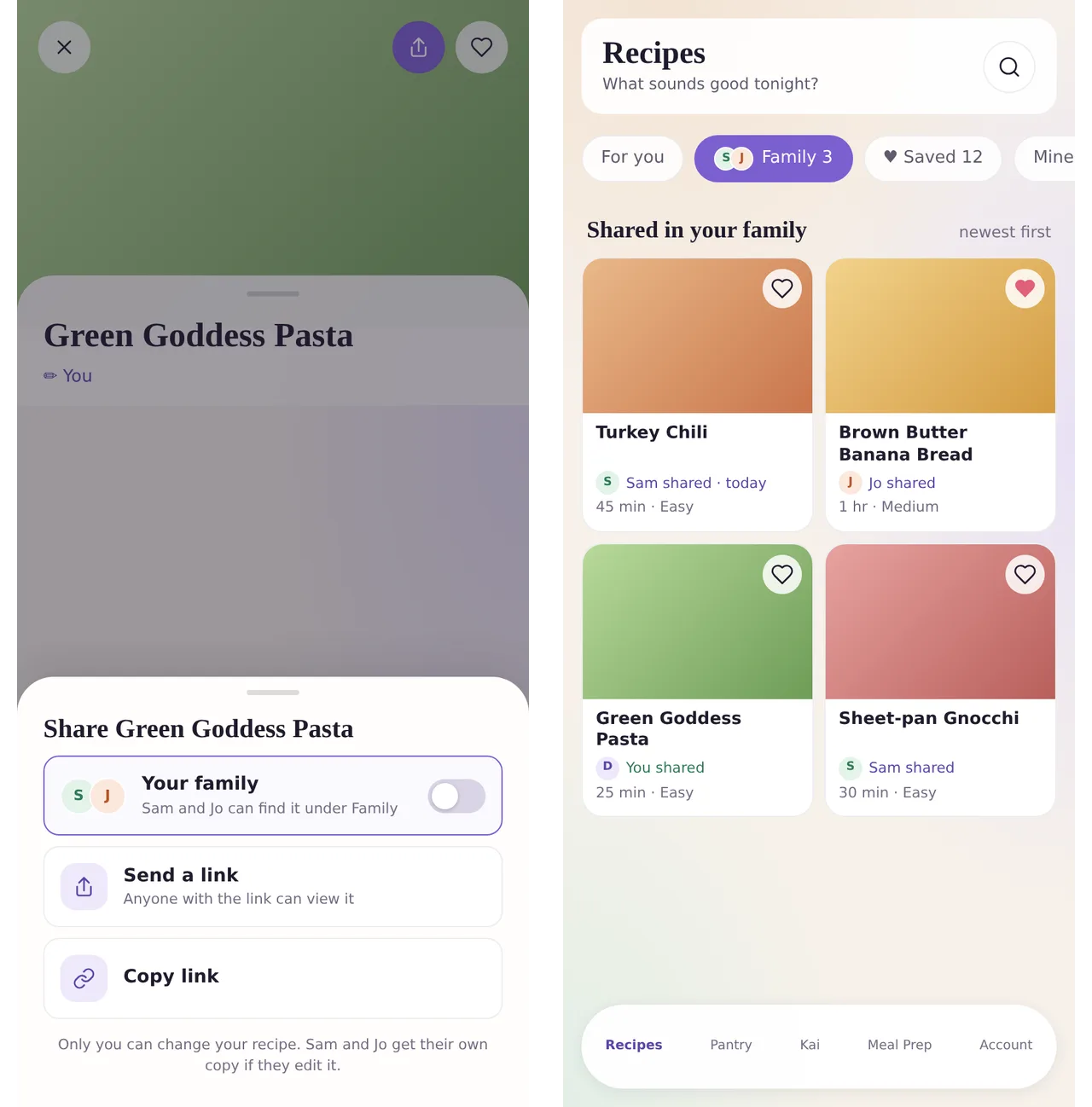
Joining a family does not pour your recipe box into everyone else's. You share the ones you want with one tap, and they show up under a Family chip with the name of whoever shared them. That works for Chef Kai's recipes and ones you saved. If someone edits a recipe you shared, they get their own copy and yours stays the same. A private recipe stays private.
Cooking for everyone at the table
Every member's allergies and diets count. If one person is dairy-free, Chef Kai will not suggest a cream sauce for the family's dinner. Recipes open scaled to the family's size. Chef Kai also knows the household: "add milk" goes on the shared list, and "share my chili with the family" does exactly that.
- Everyone's allergens checked
- Recipes sized for the family
- Chef Kai uses the shared list
Joining is a choice, not a merge
When you join, you pick: merge your pantry into the family's, or keep it aside for later. Anyone can leave, and the owner can remove a member.
Tested on a real family first
Tests tell you the code works. A real family tells you the feature works.
Before release we ran it in our own house. That turned up two problems no test had caught. Joining showed an error even though it had worked, because the app waited too long while every phone was told about the new member. And Chef Kai shared only three of five recipes, because older recipes recorded their owner a different way. Both were fixed before it shipped. Along the way, every request for your pantry, list or plan now proves who you are on the server, not only in the app.
What this means for your business
Sharing is where most apps get hard: who can see what, who can change it, and how fast everyone else finds out. If your product needs teams, households or shared accounts, we have built that end to end and can build it for you.