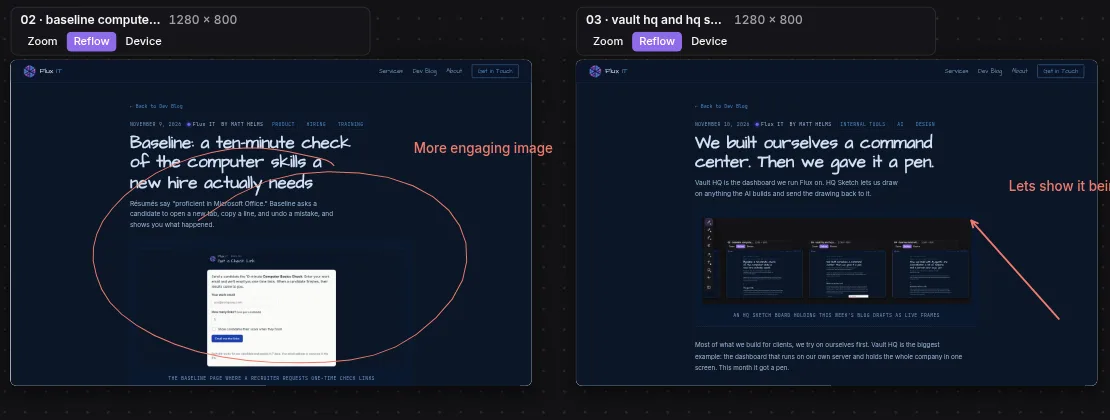
Most of what we build for clients, we try on ourselves first. Vault HQ is the biggest example: the dashboard that runs on our own server and holds the whole company in one screen. This month it got a pen.
Notes as the back end
Everything we know about our projects lives in plain text notes: plans, decisions, changelogs, bug lists. Vault HQ does not copy them into a database. It reads the notes directly and turns them into screens: a Needs You list of what is waiting on a person, project tiles, inboxes, and a timeline of what got done. Check something off on the dashboard and the note changes. Edit the note and the dashboard changes.
THE NOTES
- Plans and decisions
- Changelogs and bugs
- A Needs You sheet
THE DASHBOARD
- What needs a person today
- Project status at a glance
- What got done this week
AI in a column, not a tab
Every page has an AI column on the right. It runs real coding sessions on our server, shows its work as it goes, and asks before it changes anything. The same conversation continues on a laptop or a phone. Drag a card from the dashboard into the column and the AI knows what you are pointing at.
Feedback in words is slow
We review a lot of screens the AI builds: pages, app mockups, whole sites. Typing "the second button on the third screen, a bit lower" is slow and loses detail. So we built HQ Sketch, a drawing tool inside the dashboard, made for a pen on a touch laptop.
- Pressure-sensitive pen
- Highlighter that stays under ink
- Flip the pen to erase
- Shapes that straighten themselves
Live screens on a board
Any dashboard page can be marked up in place. Boards go further: they hold live frames, which are the actual screens the AI built, running for real. Buttons work and pages scroll. We lay them side by side, connect them with flow arrows, and draw right on top. One press of Send puts the drawing, the ink and which screen it was on into the chat with the AI that built it, so the fix lands where the work happened.
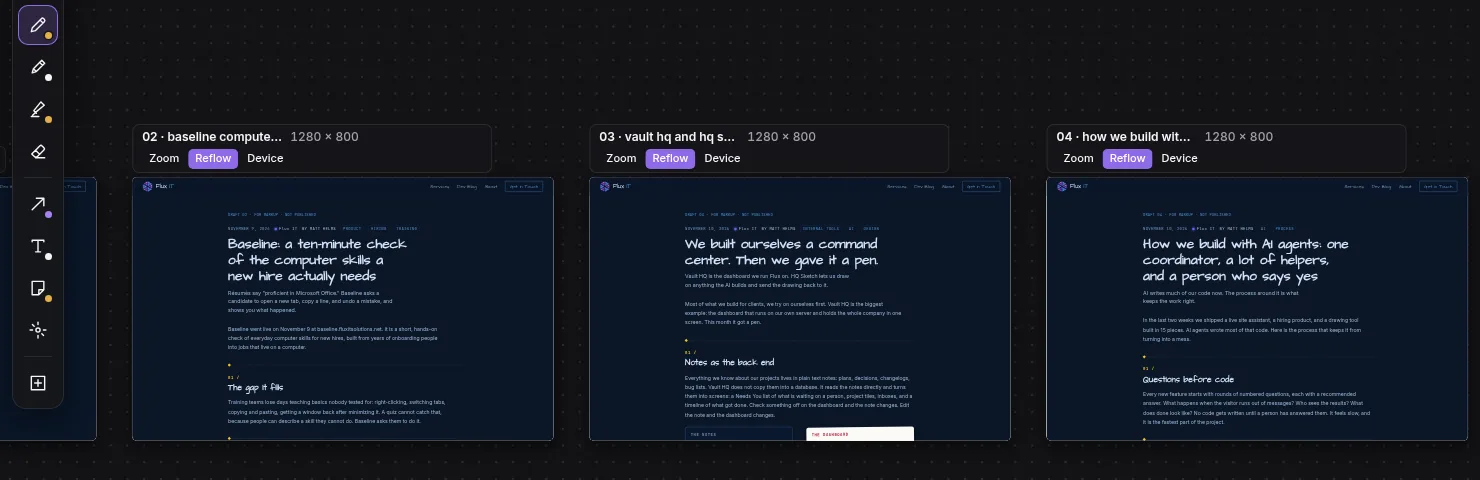
This post was marked up on that board before you read it. The picture at the top is that markup.
Built in three drops
HQ Sketch shipped in 15 small pieces over three releases: drawing and boards first, then live frames and the hand-off to the AI, then handwriting to text, a ruler, and export to SVG and PDF. Each piece was built and tested by its own AI helper, which we wrote about separately.
What this means for your business
Your notes, spreadsheets and inboxes already hold how your business runs. A dashboard on top of them can show what needs you today without moving anything into a new system. That is the kind of tool we build, and we run on one ourselves.